 Humelodica
How do I get a good hum recording?
Find a quiet spot, tap the mic and hum anything. Hum one tune, close to your device, and tap stop when you’re done.
1Find a quiet spot
Humelodica hears everything near the mic, so music or voices in the room can end up in your notes.

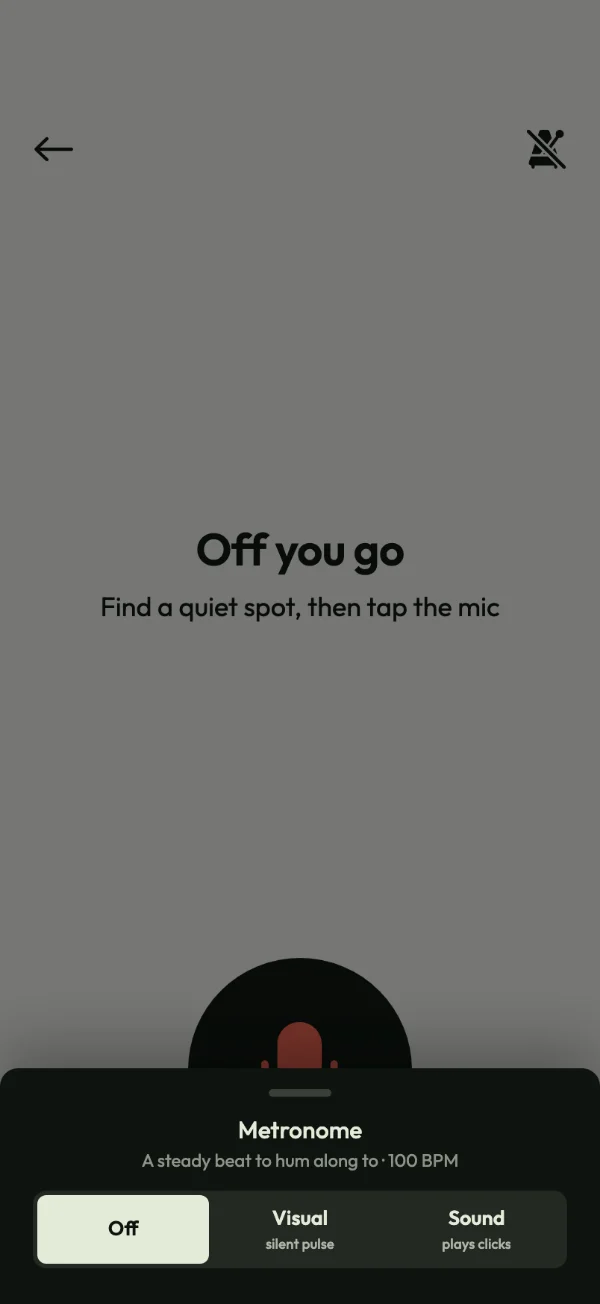
2Want a beat? Turn on the metronome
Tap the metronome at the top right: a steady beat to hum along to. Choose Visual for a silent pulse or Sound for clicks.
3Hum close to your device
Tap the mic and hum one tune, close to your device. You can hum or sing. Keep going as long as you like. Tap stop when you’re done.

4If it can’t hear you
If Humelodica says I couldn’t hear any notes, try again a little closer to the mic — humming louder helps too. Still nothing? Check the microphone is allowed: Settings → Humelodica → Microphone.

5Not happy with it? Hum it again
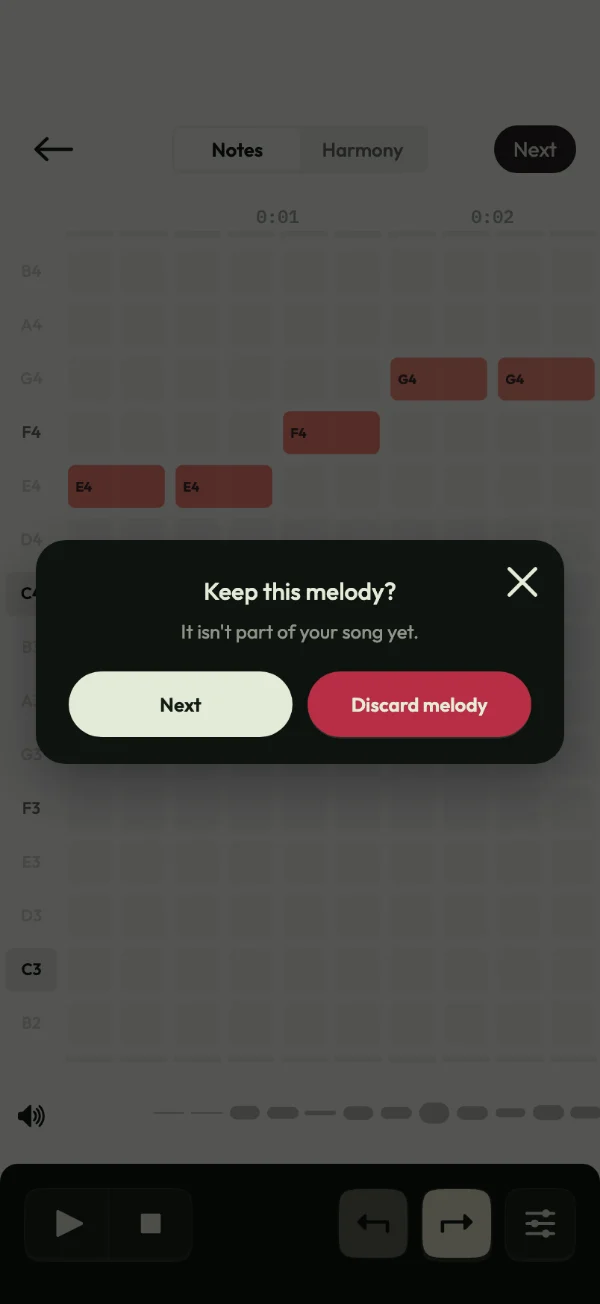
On your notes, tap the back arrow at the top left. Humelodica asks Keep this melody? Tap Discard melody and you’re back at the mic to hum it again.
Good to know
- Humelodica listens only while you record. Your recordings stay yours.
- A few wrong notes are easy to fix after you hum: how to fix the notes.