 Humelodica
How do I turn a hum into MIDI for GarageBand, Logic or Ableton?
Hum your tune in Humelodica and tap Next. On Make it a song, tap Share at the top right, then MIDI. A free account can also export 3 melodies as MIDI.
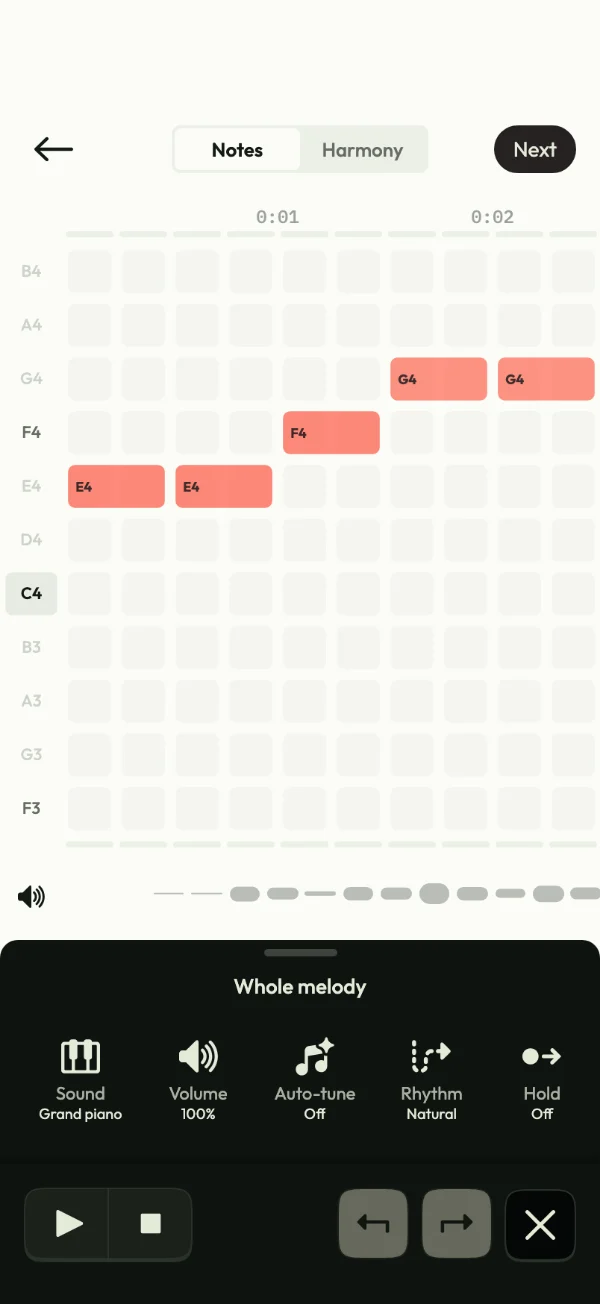
1Hum your melody
Find a quiet spot, tap the mic and hum anything. When your notes look right, tap Next (how to fix the notes).
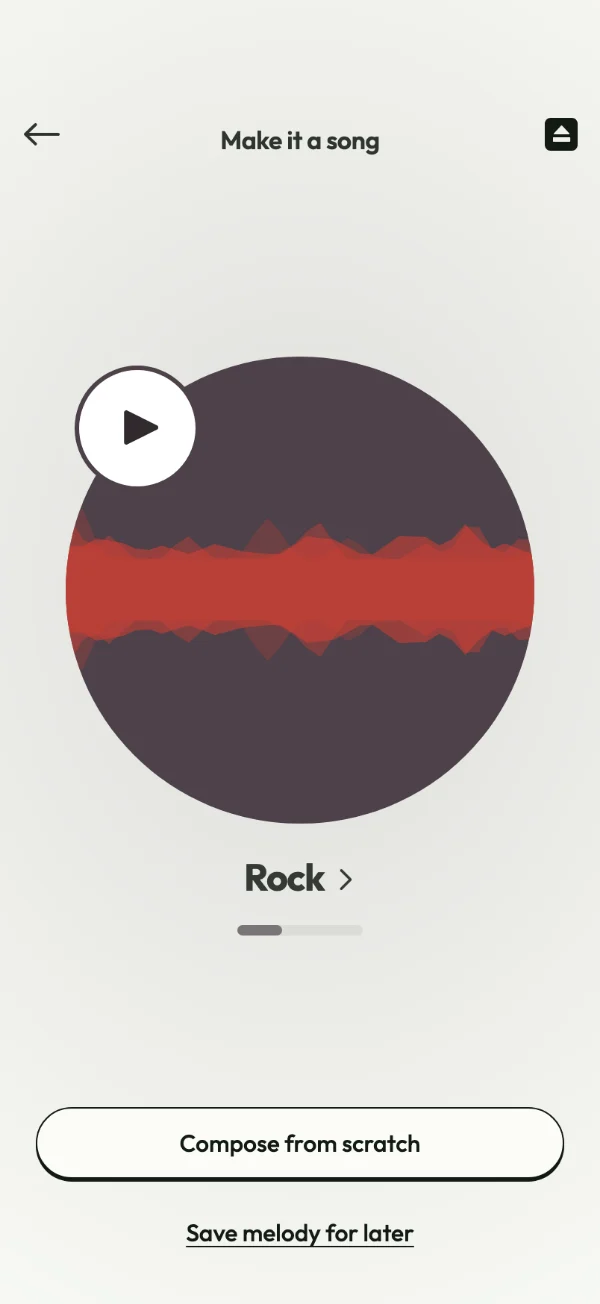
2Tap Share on Make it a song
On Make it a song, tap Share at the top right.
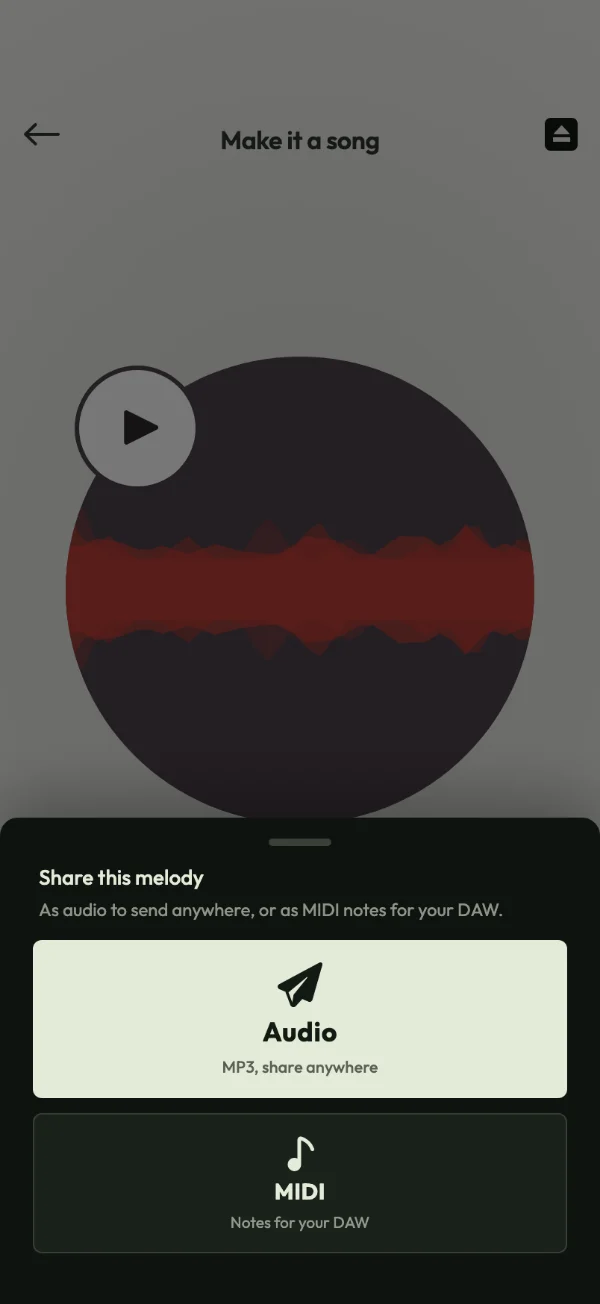
3Choose MIDI
Share this melody opens: as audio to send anywhere, or as MIDI notes for your DAW. Tap MIDI. The file holds your melody as one track, at its own tempo.
4Open it in your music app
Your device’s share sheet opens with the MIDI file. Save it to Files or send it to your computer, then open it in GarageBand, Logic or Ableton.
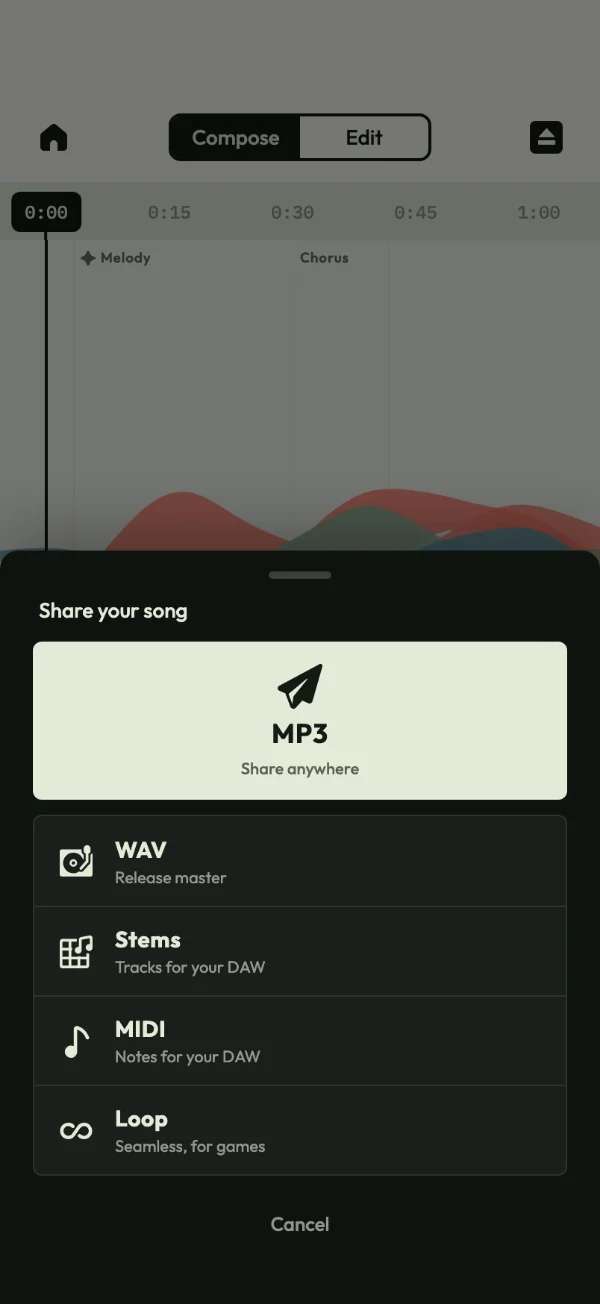
5The whole song as MIDI, with Pro
On your song, tap Share. With Pro, the sheet also has MIDI for the whole song, each of its tracks as a MIDI track, plus WAV, Stems and Loop.
Good to know
- A free account exports 3 melodies as MIDI — Pro exports as many as you like. Without an account, Humelodica asks you to make a free one first.
- Humelodica Pro: MIDI for GarageBand, Logic or Ableton, plus loops, WAV masters, stems and unlimited songs.
- Humelodica is on the App Store for iPhone.